For D2C Auto Warranty Call Centers

Sell, fulfill, bill, and retain protection-plan customers from one connected workflow.

Blinker helps auto warranty call centers quote protection plans, collect down payments, set up recurring billing, capture e-signatures, deliver agreements in real time, and track every customer from prospect to retention.

1Quote
2Fulfill
3Bill
4Follow Up
5Retain

Meet Blinker — the 2-minute walkthrough

The Problem

Your CRM tracks the opportunity. Does it complete the transaction?

Most call centers don't lose revenue because agents stop selling. They lose it because the workflow breaks after the customer says yes — quoting, fulfillment, billing, agreement delivery, and follow-up all happen in disconnected systems.

Payments scatter

Down payments and recurring billing run in separate tools, so payment status is hard to see and harder to manage.

Agreements lag

Customers wait 7–10 days for proof of coverage instead of getting confirmation the moment they pay and sign.

The money goes dark

Declines, chargebacks, cancellations, and funding status are spread across the processor and the administrator — invisible to the seller.

Every disconnected handoff is a leak. Deals stall, payments fail, and customers back out — not because agents stopped selling, but because the workflow stopped connecting.

One Connected Workflow

From quote to retained customer — in one place.

Blinker connects every step of the protection-plan sale, so nothing falls through the gaps between systems.

1  Quote

Present protection-plan options in seconds.

2  Collect

Take the down payment in the same workflow.

3  Bill

Set up and track recurring payments.

4  Sign

Capture e-signature and e-consent on the customer's phone.

5  Deliver

Send the completed agreement in real time.

6  Activate

Move from sale to active coverage instantly.

7  See

Track declines, chargebacks, cancels, and funding.

8  Follow up

Keep agents accountable after the sale.

9  Retain

Spot at-risk customers before they cancel.

The 60-second workflow story

See the full Protection deep-dive ›

Billing Visibility

Stop guessing where deals — and dollars — are stuck.

Declines, chargebacks, cancellations, and funding status — surfaced to your team in real time, in one place. No legacy CRM shows the seller this. It's the gap Blinker was built to close.

See it in a demo Call 762-422-2525
Pending Payment
23
awaiting down payment
Failed Payments
6
need agent recovery
Chargebacks · 30d
4
flagged for review
Unfunded
11
pending funding

Illustrative dashboard — sample figures.

When a payment fails — how fast do you know?

Compliant by Design

Your agents shouldn't be touching cards.

The legacy way a protection plan gets paid for — an agent reading a card number and security code into the CRM's payment screen — is the single biggest liability in the building. It puts card data in your systems, and it puts the compliance burden on you.

Agents handle raw cards

Full card numbers and security codes, read aloud on calls and keyed into the CRM — putting every agent inside your card-data environment.

The data gets stored

Storing the card security code is a flat PCI violation — encryption and a signed customer form don't change that. Storing the card number lands you in the heaviest compliance category there is.

You sign the attestation

The call center — not the CRM vendor — is the merchant of record that signs the PCI attestation. The liability is yours.

Blinker takes cards out of your agents' hands.

The customer enters and authorizes payment on their own device, in a tokenized screen Blinker never stores — then digitally signs the agreement. You hold a token, not a card.

  • Card data never touches your agents or your systems — moving you toward the lightest PCI scope.
  • Customer-initiated capture earns higher card-network approval than an agent-keyed phone payment.
  • A digitally-signed agreement gives you the strongest evidence to defend a chargeback.
Ask your current CRM
1Does my agent see the full card number and security code?
2Is card data stored in the CRM — even encrypted?
3Which PCI self-assessment are we signing — A, C-VT, or D?
4Is the activation payment customer-initiated, or a phone order?
5If a customer disputes a charge, what proof of consent can we show?
Built for Every Role

It's not just the agent's workflow. It's the platform behind it.

Blinker gives managers the visibility, admins the controls, and your team the CRM they already need — all on one platform, no second logins, no second systems.
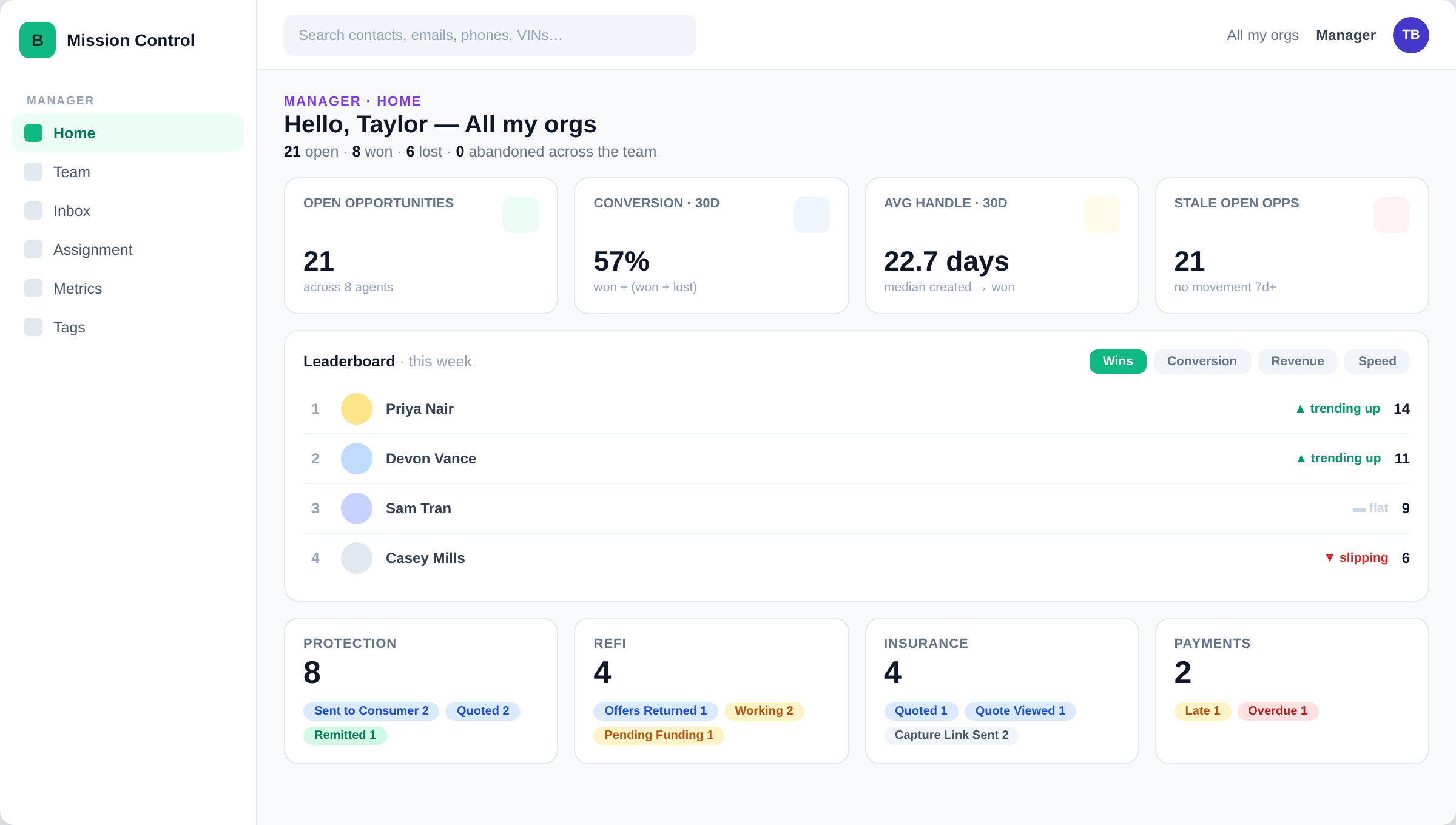
Mission Control · Manager Home

Manager

Pipeline by stage, team accountability, payment-recovery queues — every deal's status visible without chasing agents.
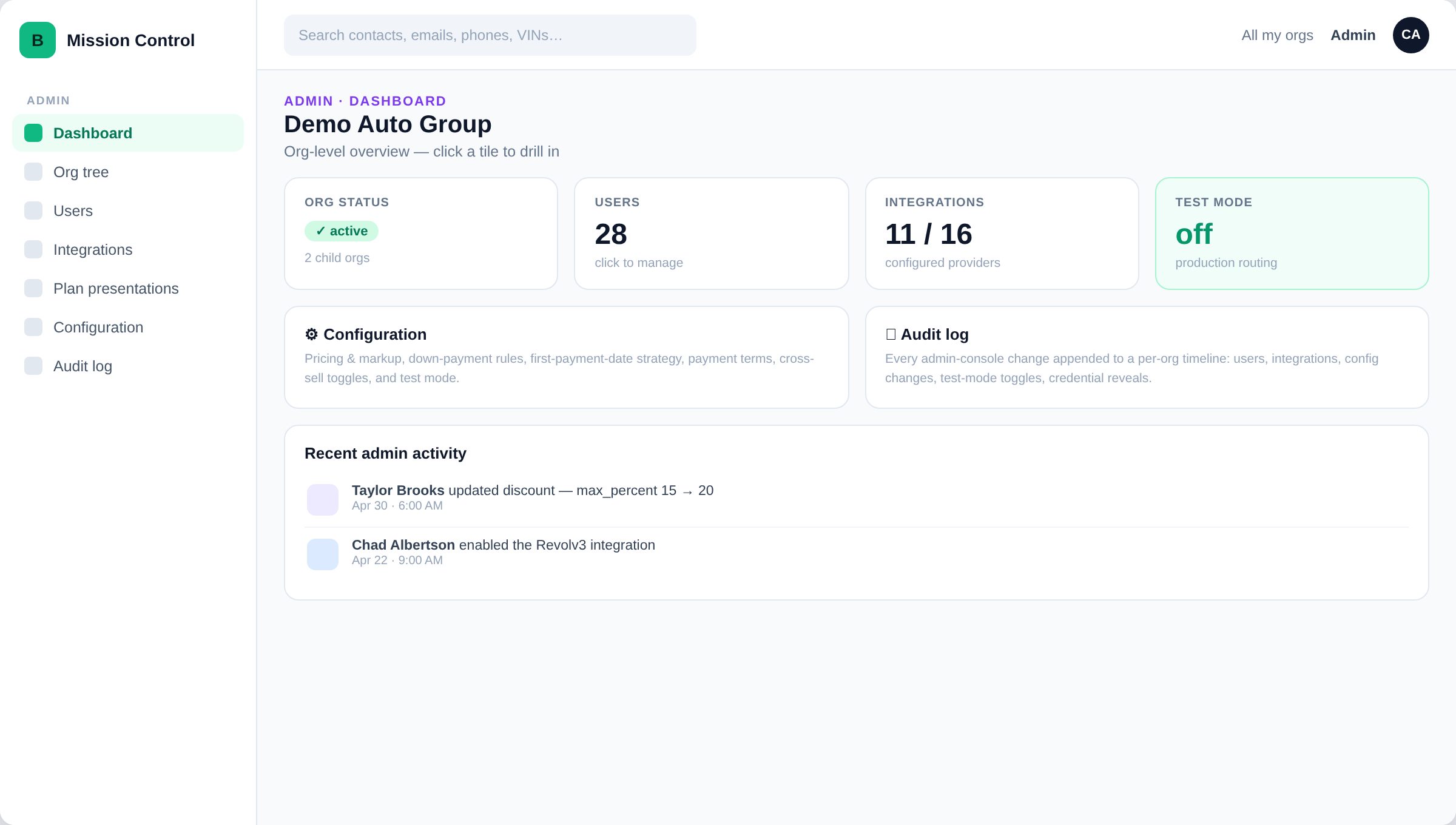
Mission Control · Admin Dashboard

Admin

Multi-org tree, user roles, integrations, audit log — set up your call center once, scale it cleanly across teams and orgs.
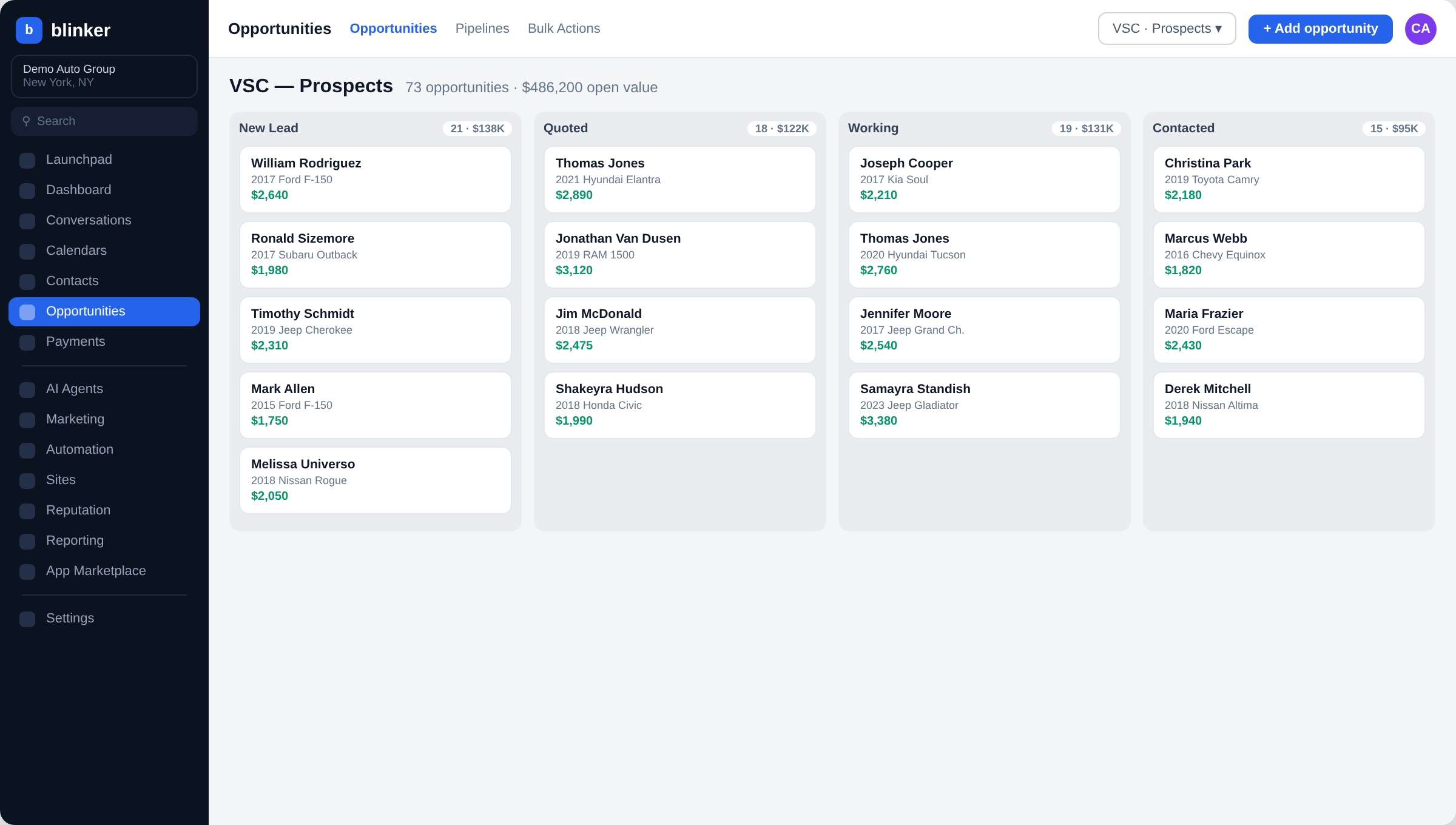
Integrated CRM Pipeline

Integrated CRM

Contacts, opportunities, calendar, conversations — a full CRM with single sign-on, built right into the same workflow.
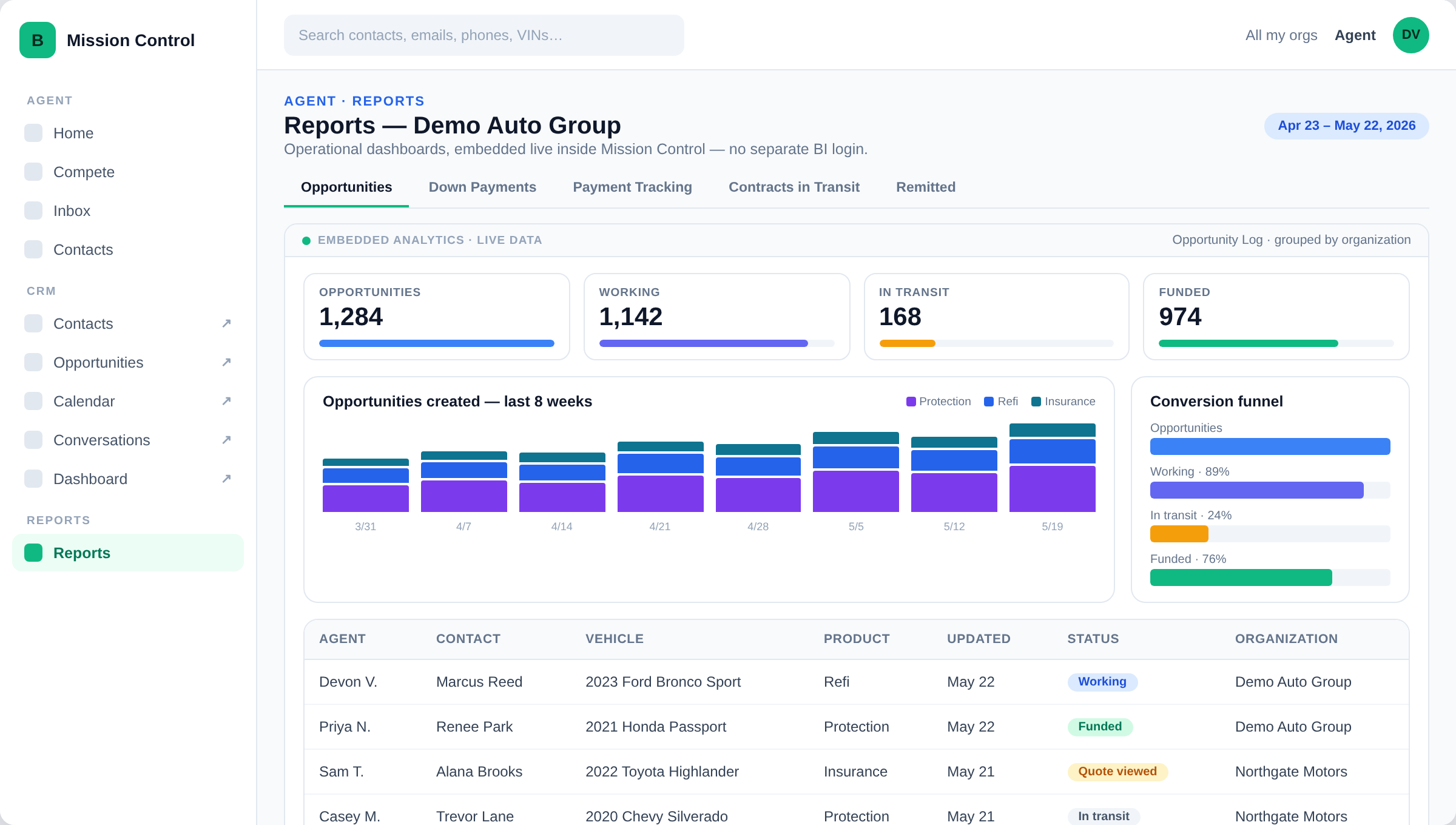
Reports & Embedded Analytics

Reports & Analytics

Embedded dashboards across every line of business — agent performance, conversions, payment health, retention.

Real-time delivery is built in. After payment and signature, the customer gets an activated agreement immediately — closing the backout window in seconds, not days.
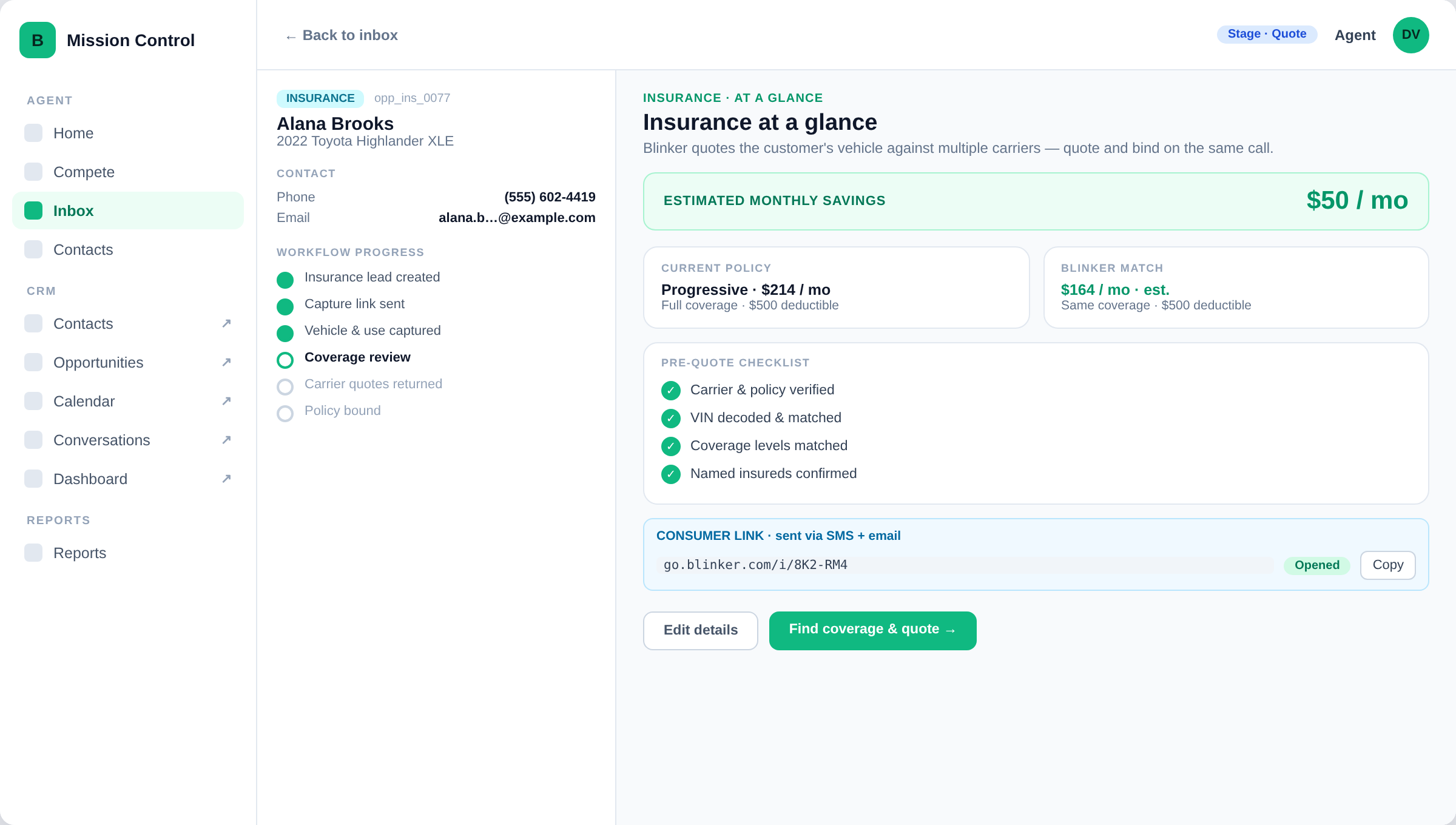
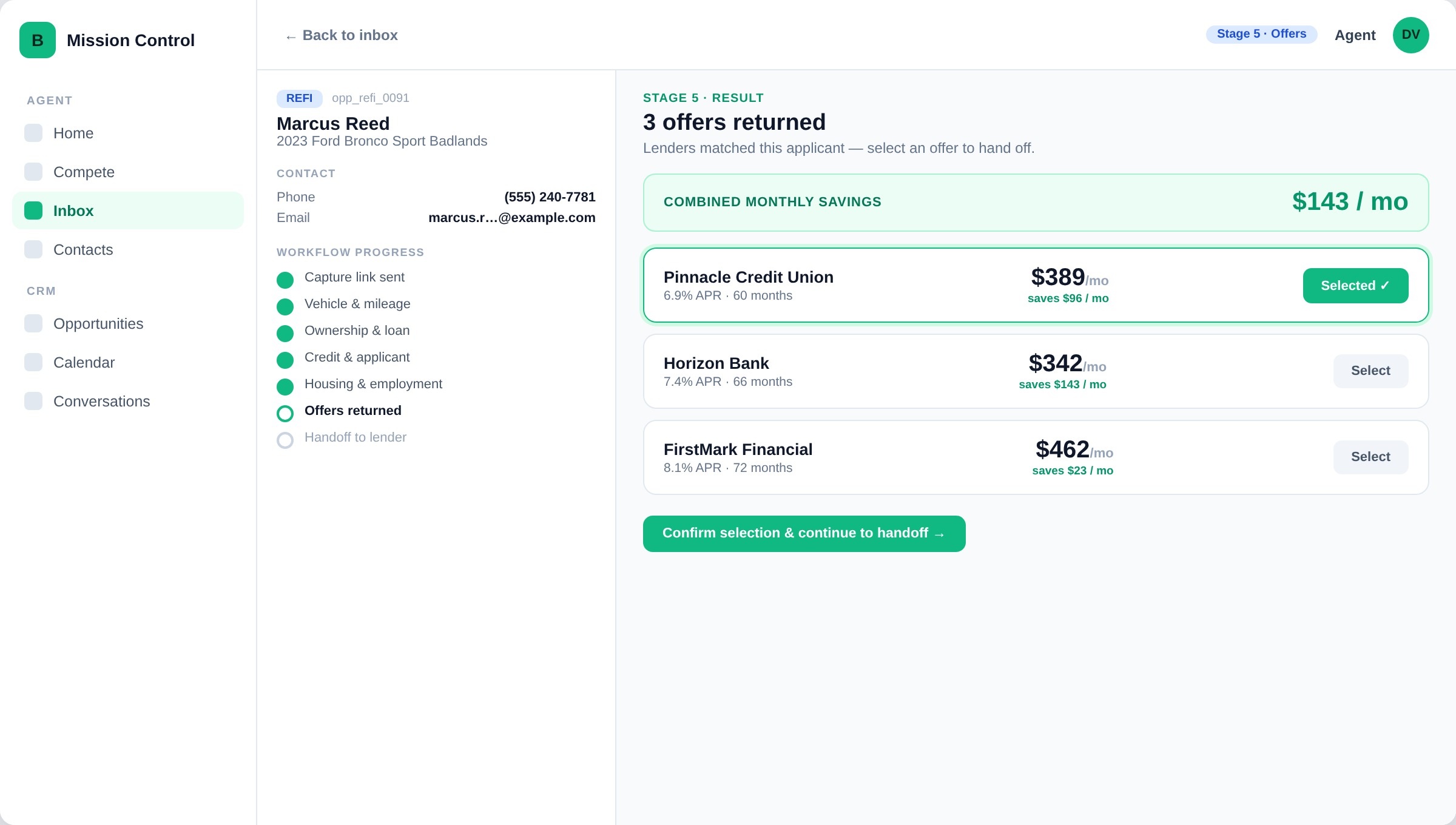
Affordability — The Next Two Layers

Help customers afford the plan — and keep it.

When monthly budget is the barrier, Blinker gives agents two ways to make the protection plan fit. Each has its own dedicated page.

Insurance and refinance are an affordability layer that lifts close rates and retention — they support the core VSC sale, never replace it.

Is Blinker a Fit?

Built for call centers that want to…

Recognize three or more? The next step is a 30-minute workflow demo.

Compare your workflow Call 762-422-2525
  • Use Inline, Moxy, GoForté, or disconnected tools
  • Sell vehicle service contracts through a call center
  • Have friction in payments, signatures, or follow-up
  • Want real-time agreement delivery, not mailed kits
  • Need visibility into billing, declines, and funding
  • Worry about how agents handle card data and PCI compliance
  • Want to pilot before replacing your whole stack
Start With a Pilot

Compare your current workflow to Blinker.

A 30-minute workflow demo shows exactly where revenue is leaking today — and what a connected workflow recovers. Then start small with a low-risk 30-Day Workflow Pilot.